Start a Remote Support Session
For existing clients
Start a Remote Support Session
Download the tool below to start a remote support session with our team. It only takes a minute.
Trusted by Welsh businesses since 1997
Cyber Essentials certified
Trusted Sophos partner
Three Quick Steps
Wait to be asked
Only start a session when a CCSW engineer asks you to, usually while you are on the phone with them.
Download and open
Click the download for your computer below. When it finishes, open the file from your browser's downloads list.
Read out the code
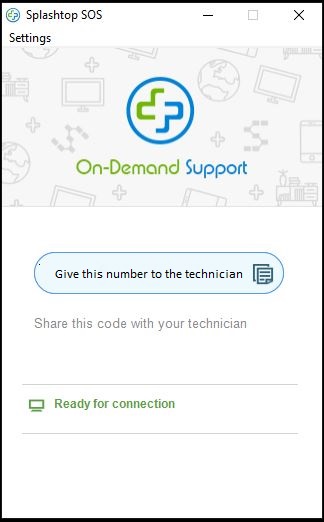
A window will appear with a 9 digit code. Give this to your engineer, and they will connect to help you.
Download the Remote Support Tool
When requested, please click the download for your computer.
Stay safe: CCSW will never ask you to start a remote session out of the blue. If someone calls claiming to be from CCSW and you weren't expecting it, hang up and call us on 0333 014 4544.
What You'll See
You will be presented with a box similar to this one. Please provide the technician with the number.
Having Trouble?
Call us and we'll talk you through it. You can also log a ticket through the Customer Portal.